Category: Blog

Your blog category

  • AI Tools Names That Are Making Everyday Work Smarter and More Meaningful

    AI Tools Names That Are Making Everyday Work Smarter and More Meaningful

    AI Tools Names That Are Making Everyday Work Smarter and More Meaningful

    Technology keeps moving forward, but some changes feel more personal than others. AI tools are one of those changes. They are no longer limited to tech experts or large companies. Today, students, writers, designers, developers, and professionals use AI tools in their daily routines to save time, reduce stress, and work with more clarity.

    Knowing the right AI tools by name helps people choose smarter solutions instead of feeling lost in endless options. Each tool serves a purpose, and together they are shaping a more efficient and creative digital world.

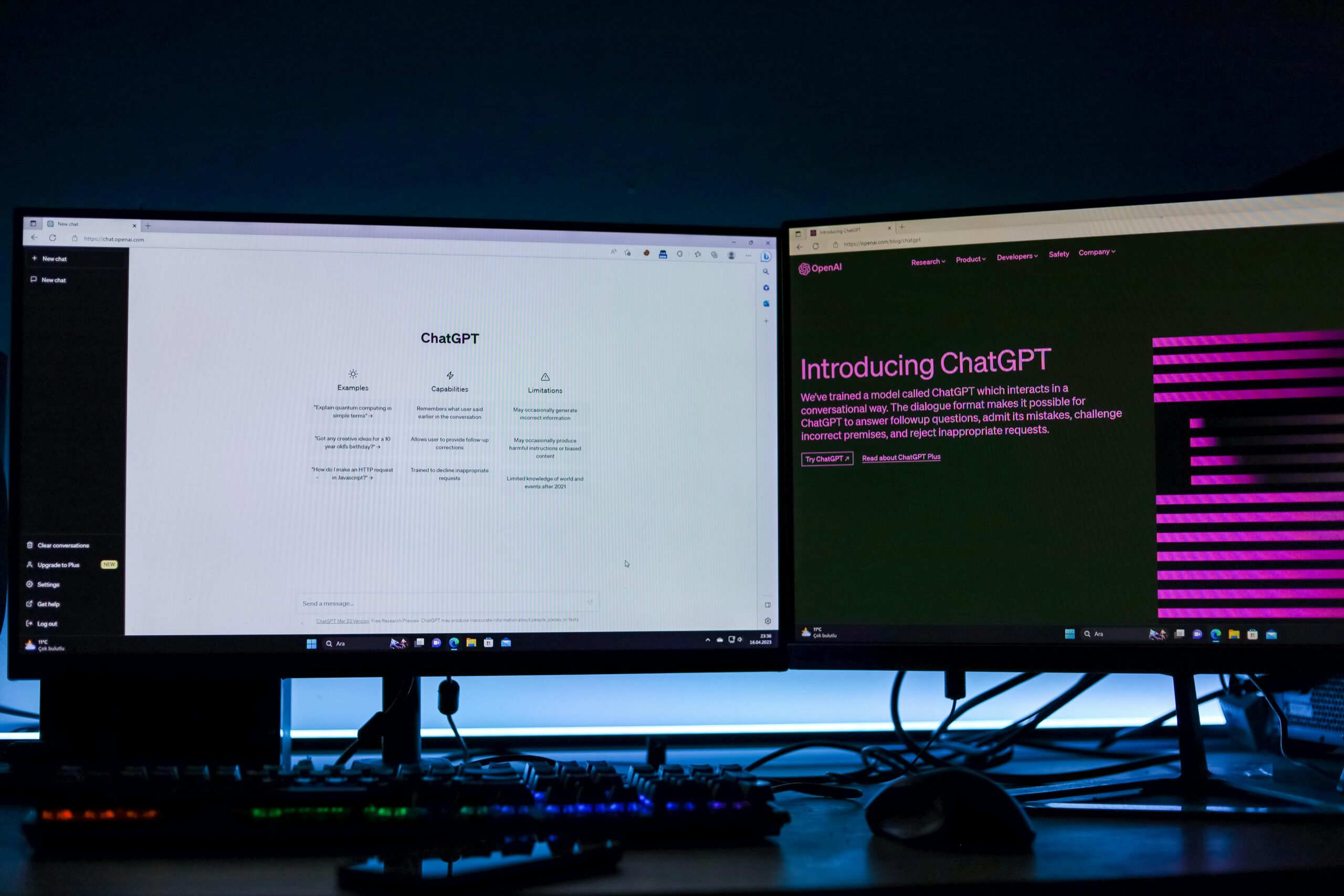
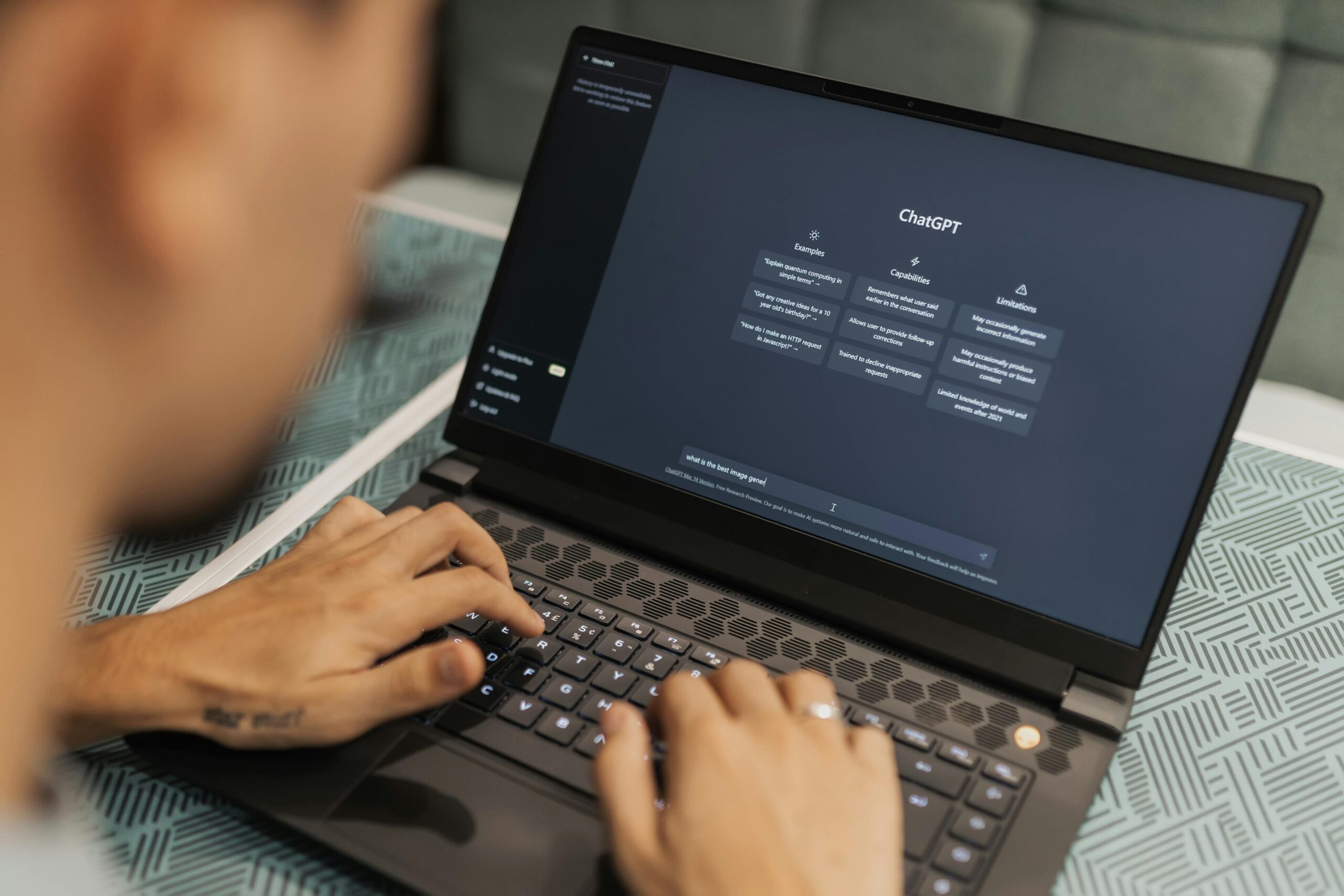
    ChatGPT

    ChatGPT is widely known for helping people express ideas clearly. It supports writing, learning, brainstorming, and understanding difficult topics in a simple way. Many users appreciate how it turns confusion into clarity and helps them move forward when they feel stuck.

    Its strength lies in communication. It helps people think better, not faster.

    Grammarly

    Grammarly is a trusted name for improving writing quality. It helps users fix grammar issues, improve sentence flow, and maintain a confident tone. Students and professionals often rely on it to ensure their words feel polished without sounding unnatural.

    Good writing builds trust, and this tool supports that goal.

    GitHub Copilot

    GitHub Copilot is designed for developers who want a smoother coding experience. It assists by suggesting code patterns and reducing repetitive tasks. Developers still make decisions, but the tool helps maintain focus and momentum.

    It supports logic and creativity without taking control.

    Canva

    Canva has become a favourite for people who want clean, attractive designs without complex software. It helps users create presentations, graphics, and visuals with ease. It turns hesitation into confidence, allowing people to design freely without fear or self-doubt.

    Visual creativity becomes accessible to everyone.

    Notion AI

    Notion AI helps people organize their thoughts, plans, and ideas in a structured way. It turns scattered notes into clear information and helps users stay organized in busy schedules.

    When life feels overwhelming, clarity makes a real difference.

    Jasper

    Jasper is often used by content creators who want help shaping ideas into readable content. It supports structure and inspiration, especially when creativity feels blocked. Writers still guide the message, but Jasper helps them move past the hardest starting point.

    It supports flow without replacing originality.

    Midjourney

    Midjourney is known for visual creativity. It allows people to explore artistic ideas even if they don’t have traditional design skills. Artists, creators, and hobbyists use it to experiment and express imagination in new ways.

    It reminds people that creativity has no fixed rules.

    Google Bard

    Google Bard focuses on helping users explore information more interactively. It supports research, learning, and idea development in a conversational way. Instead of feeling like a search engine, it feels like a guide through information.

    Learning feels lighter and more engaging.

    Why These Tools Matter

    AI tools are not shortcuts. They are support systems. They help people focus on what truly matters—thinking, creating, and learning—while reducing unnecessary pressure. Used responsibly, they enhance skills rather than replace effort.

    The real value of AI tools lies in how they make people feel more capable and confident.

    Final Thoughts

    AI tools are becoming part of everyday life, not because they are impressive, but because they are helpful. Each tool has its own role, and choosing the right one can change how smoothly work gets done.

    When technology supports human effort instead of replacing it, progress feels natural. Knowing the right AI tools by name is not about following trends—it’s about choosing smarter ways to grow, learn, and create in a fast-moving digital world.


  • Best AI Tools for Coding – Making Development Faster, Smarter, and Less Stressful

    Best AI Tools for Coding – Making Development Faster, Smarter, and Less Stressful

    Coding is more than a technical skill. For many developers, it is a passion, a career, and a way to bring ideas to life. But let’s be honest—coding can also be exhausting. Endless debugging, tight deadlines, and complex logic can turn excitement into frustration. This is why the best AI tools for coding have become such a valuable part of modern development.

    These tools are not here to replace developers. They are here to support, guide, and empower them.

    When Coding Becomes a Mental Battle

    Every programmer has faced moments of doubt. You write code for hours, only to face errors that refuse to disappear. Progress feels slow, motivation drops, and stress builds up. AI tools help ease this pressure by acting like a smart assistant that helps you think clearly and move forward.

    They don’t judge. They don’t get tired. They simply help you focus.

    A Confidence Boost for Beginners

    For beginners, learning to code can feel overwhelming. New languages, unfamiliar rules, and confusing syntax often create fear of failure. AI coding tools make the learning process smoother by offering clear explanations, helpful suggestions, and instant feedback.

    This support builds confidence. And confidence is the key to growth.

    When learners feel supported, they are more likely to experiment, practice, and improve without fear.

    Saving Time Without Cutting Corners

    One of the biggest advantages of AI tools is time efficiency. Developers often spend hours on repetitive tasks or minor mistakes. AI tools help reduce that burden, allowing programmers to focus on logic, creativity, and problem-solving.

    Saving time does not mean lowering quality. In fact, it often leads to cleaner, more organized code and a better overall workflow.

    Helping Developers Stay Creative

    Creativity is at the heart of great coding. Whether you’re building a website, an app, or a software solution, your ideas matter. AI tools help remove distractions so creativity can flow freely.

    By handling repetitive suggestions and offering useful insights, these tools allow developers to stay focused on what truly matters—building something meaningful.

    Useful for Every Skill Level

    AI coding tools are not limited to experts. Students, freelancers, and experienced developers can all benefit. Beginners get guidance, intermediate developers gain efficiency, and professionals improve productivity.

    This adaptability makes AI tools a powerful companion throughout a developer’s journey.

    Reducing Burnout in a Fast-Paced World

    The tech world moves fast, and pressure is constant. Burnout is a real problem among developers. AI tools help reduce mental strain by simplifying tasks and offering support when challenges arise.

    Less stress means better focus, healthier work habits, and more enjoyment in the process.

    Learning While You Code

    One of the most underrated benefits of AI tools is learning through practice. Developers don’t just get answers—they understand why something works. This continuous learning helps sharpen skills and deepen knowledge over time.

    Coding becomes an ongoing learning experience instead of a daily struggle.

    A Smarter Way Forward

    Using AI in coding is not about shortcuts. It’s about working smarter, not harder. Developers who embrace helpful tools stay competitive, adaptable, and confident in an evolving digital world.

    Technology grows best when humans and smart tools work together.

    Final Thoughts

    The best AI tools for coding turn frustration into focus and ideas into reality. They help developers stay motivated, productive, and confident without taking away the joy of building something from scratch.

    Coding should inspire creativity, not drain energy. With the right AI support, developers can spend less time stuck and more time creating—exactly where they belong.

  • Free AI Generator for School Projects – A Simple Tool That Makes Learning Easier

    Free AI Generator for School Projects – A Simple Tool That Makes Learning Easier

    School projects are an important part of learning, but for many students they can also feel stressful and overwhelming. Tight deadlines, multiple subjects, and the pressure to do well often turn learning into a burden instead of an exciting journey. This is where a free AI generator for school projects can truly make a difference.

    Imagine having a simple tool that helps you organize your ideas, explains topics clearly, and saves hours of hard work. That’s exactly what modern AI tools are doing for students today — not replacing learning, but supporting it.

    Making Learning Less Stressful

    Every student has faced that moment of confusion: staring at a blank page, not knowing how to start a project. A free AI generator acts like a helpful study partner. It gives you a clear direction, helps you understand complex topics, and turns confusion into confidence.

    Instead of feeling stuck, students feel motivated. Instead of panic, there is progress. Learning becomes smoother and more enjoyable.

    A Helping Hand, Not a Shortcut

    One of the biggest misunderstandings about AI tools is that they encourage laziness. In reality, a good AI generator does the opposite. It helps students learn better by breaking down topics into simple explanations and guiding them step by step.

    Students can use the content as inspiration, improve their understanding, and then add their own ideas. This builds creativity, critical thinking, and confidence — skills that truly matter in education.

    Perfect for Every Subject

    Whether it’s a science project, a history assignment, an English presentation, or a social studies report, a free AI generator can adapt easily. It helps students structure their work, write clearly, and stay focused on the topic.

    This flexibility makes it a powerful tool for students of all ages, especially those who struggle with writing or organizing their thoughts.

    Saving Time, Boosting Confidence

    Time is precious, especially for students balancing studies, homework, and personal life. AI generators reduce unnecessary stress by speeding up the initial stages of a project. When students save time, they gain confidence — and confident students perform better.

    Instead of rushing at the last moment, they can focus on improving quality and understanding the subject deeply.

    A Smart Step Toward Modern Education

    Education is changing, and smart tools are becoming part of everyday learning. Using a free AI generator responsibly prepares students for the future, where technology and knowledge go hand in hand.

    When used wisely, AI doesn’t replace effort — it empowers it.

    Final Thoughts

    A free AI generator for school projects is more than just a tool. It’s a source of support, motivation, and clarity. It helps students believe in their abilities and reminds them that learning doesn’t have to be hard to be meaningful.

    With the right balance of technology and personal effort, education becomes easier, smarter, and far more enjoyable.


  • AI Tool to Improve Blurry Selfies—And How Voice-to-Text AI Makes Everyday Work Easier

    AI Tool to Improve Blurry Selfies—And How Voice-to-Text AI Makes Everyday Work Easier

    For as long as I can remember, photos have been my way of freezing little moments before they disappear. But not every picture turns out the way we want. Sometimes the lighting is bad, sometimes hands shake, and sometimes the perfect smile becomes a blurry memory. A few years ago, I would delete those photos immediately, feeling disappointed that a moment I loved couldn’t be saved.

    Everything changed the day I found an AI tool to improve blurry selfies. I didn’t go searching for it. I discovered it by accident while trying to fix a picture I took during a family trip. I uploaded the image just to test the tool, expecting nothing special. But the result stopped me.

    The selfie didn’t become unreal or overly edited — it simply became clearer. My eyes regained detail, the background softened nicely, and the overall picture felt natural again. It was almost like the moment had returned to me.

    That small experience made me appreciate how helpful AI can be when used thoughtfully. And around the same time, I found another tool that unexpectedly made my daily life easier — a free AI voice-to-text converter. Together, these two tools quietly improved the way I capture and express moments.


    Why Blurry Selfies Deserve a Second Chance

    A blurry photo might look like a small problem, but emotionally it can feel bigger. Some photos aren’t just images — they hold feelings. A blurry picture of a smile, a gathering, or a personal moment often carries meaning that’s hard to recreate.

    AI tools that restore selfies don’t simply sharpen edges. They work gently, focusing on details that make a face recognisable and warm. They help recover:

    • lost sharpness
    • soft facial features
    • low-light details
    • background clarity
    • natural color balance

    The goal isn’t perfection.
    The goal is to save a memory without losing its realness.

    I remember fixing a picture I took with a close friend. We were laughing, the moment was spontaneous, and the selfie came out shaky. When the AI restored it, the laughter felt alive again. It reminded me how a simple tool can bring back something you thought was gone.


    How AI Makes Photo Fixing Feel Effortless

    What surprised me most was how little effort I had to put in. There were no complicated settings, no learning curves, and no confusing buttons. The tool did the work quietly and quickly.

    Most AI photo enhancers:

    • detect blur automatically
    • strengthen edges without distortion
    • brighten dark sections
    • reduce harsh noise
    • preserve natural skin tones

    For someone who doesn’t enjoy editing, this is a blessing. The process isn’t technical — it’s comforting. You upload a memory, and the tool gives it back to you in a clearer form.


    The Unexpected Support of Voice-to-Text AI

    Around the same time, I was dealing with another challenge — capturing ideas before I forgot them. I type slowly when I’m tired, and during busy days, I lose thoughts faster than I can write them.

    That’s when I discovered a free AI voice-to-text converter tool. One afternoon, I opened it out of frustration and started speaking. The words appeared on the screen instantly, cleaner than I expected.

    Suddenly, the pressure of typing disappeared. I used it for:

    • notes
    • long messages
    • outlines
    • ideas
    • reminders
    • small reflections
    • parts of school assignments

    Speaking felt more natural, and the tool didn’t judge my pauses or imperfections. It simply listened and converted.

    One moment that stays with me was when I used the tool to write down a feeling I didn’t know how to express. Speaking helped me untangle my thoughts, and the text it produced helped me understand myself better. It felt personal — almost therapeutic.


    Why Both Tools Matter More Than We Think

    On the surface, a selfie enhancer and a voice-to-text converter seem like two different things. When you look closely, both tools are built to support the same need.

    They make life easier at moments when we feel overwhelmed.

    A blurry photo becomes clear.
    A scattered thought becomes text.
    A lost moment becomes visible again.
    A busy mind finds structure.

    Both tools support creativity, memory, and communication in simple but meaningful ways.


    When to Use These Tools in Daily Life

    ✔ When your photos matter to you

    Not every picture needs to be perfect—only the ones that hold emotion. If a blurry selfie means something, restore it.

    ✔ When typing slows you down

    Voice-to-text is a relief on days when your mind is full but your hands are tired.

    ✔ When you want to focus on ideas

    Speaking freely helps you think better.

    ✔ When you need quick results

    Both tools save time without sacrificing quality.

    ✔ When you want to be more present

    Fix your photos later, speak your thoughts now — live your moments fully.


    Tips for Better Results

    For blurry selfies:

    • Use the highest resolution version you have
    • Avoid over-editing; natural results feel warmer
    • Try multiple enhancement levels if offered

    For voice-to-text:

    • Speak at a steady pace
    • Take brief pauses between sentences
    • Review the text gently before using it

    These small habits keep your results clean and authentic.


    Final Thoughts

    Technology doesn’t always need to be loud to be helpful. Sometimes the tools we barely notice end up helping us the most.

    An AI tool to improve blurry selfies helps you save memories you treasure. An AI voice-to-text converter helps you express thoughts before they slip away.

    Both tools support everyday life in ways that feel simple, natural, and comforting. They don’t replace effort — they guide it. They don’t change who you are — they help you capture your moments more clearly.

    And in a world that moves so fast, that gentle support can mean a lot.

  • AI Voice to Text Converter Free – A Simple Tool That Makes Life Easier

    AI Voice to Text Converter Free – A Simple Tool That Makes Life Easier

    AI Voice to Text Converter Free – A Simple Tool That Makes Life Easier

    There are moments when typing feels impossible. Maybe your hands are tired, maybe you’re in a hurry, or maybe your mind is moving faster than your fingers. I have felt that many times, especially on busy days when I needed to write something quickly but couldn’t sit still long enough to type.

    That’s when I discovered something that changed the way I work: a free AI voice-to-text converter free tool. At first, I tried it out of curiosity. I wanted to see if it could really understand what I was saying and turn it into clear text. The first time I used it, I spoke a small paragraph, and within a second, the words appeared on the screen almost exactly the way I said them.

    That moment felt surprisingly freeing.
    It didn’t just convert my voice—it helped me express my thoughts without the pressure of typing.


    Why Voice-to-Text Tools Have Become So Important

    Modern life is fast. We move quickly, think quickly, and multitask more than ever. Voice-to-text tools make this easier by allowing us to speak naturally while the tool writes everything for us.

    These tools are helpful when:

    • you want to take notes quickly
    • you’re tired of typing long messages
    • you’re walking and can’t use your hands
    • you need to record ideas before you forget them
    • you struggle with long writing tasks

    What surprised me most was not the convenience—it was the accuracy. Free tools today are capable of understanding speech with amazing clarity, even when spoken casually.


    My First Real Experience With a Free Voice to Text Converter

    One day, while working on a project, I had a sudden flow of ideas. But my fingers couldn’t keep up, and I was afraid I would forget the important points. So I opened a free AI voice to text converter and started speaking.

    In a few minutes, I had nearly two pages of clean text.

    The tool didn’t rush me.
    It didn’t judge my pauses or mistakes.
    It simply listened and wrote.

    It felt like having a quiet assistant who understands your thoughts and puts them into words exactly when you need it. That experience made me realize how helpful this technology can be, not just for work, but for everyday life.


    Why a Free AI Voice to Text Converter Feels So Comfortable to Use

    One of the biggest advantages is how natural it feels. You speak the way you normally do, and the tool converts it smoothly. There’s no complicated setup, no heavy software to install, and no learning curve.

    You can use it for:

    • notes
    • lists
    • reminders
    • assignments
    • messages
    • ideas
    • personal reflections

    It works almost anywhere: on mobile, tablet, or desktop. This flexibility makes it perfect for students, writers, teachers, creators, and anyone who needs to save time.


    A Moment I Still Remember

    I once had to prepare a short introduction for an event, but my mind was blocked. I kept typing and deleting sentences. Nothing sounded right. Out of frustration, I opened the voice-to-text tool and just spoke my thoughts aloud.

    To my surprise, the spoken version sounded far more genuine than the typed drafts. I edited a few lines, added some structure, and finished the task within minutes.

    That day taught me something important:
    Sometimes speaking feels more natural than typing, and that natural flow turns into better writing.


    What Makes These Tools So Reliable

    Free AI voice-to-text converters today use advanced speech recognition. They can understand:

    • different accents
    • natural pauses
    • fast speaking
    • conversational tone
    • long sentences

    They don’t demand perfection from you. You can speak freely, and the tool shapes the text for you. This is what makes them so reliable and comfortable for everyday use.


    How These Tools Can Save Time and Reduce Stress

    Typing for long hours can be tiring, both physically and mentally. Voice-to-text tools save your energy and help you focus more on ideas rather than the act of typing.

    They help you:

    ✔ Capture thoughts instantly

    No more losing ideas because you couldn’t type fast enough.

    ✔ Reduce typing effort

    Especially useful during long tasks or busy days.

    ✔ Stay productive anywhere

    You can record notes while walking, traveling, or resting.

    ✔ Organize your thoughts

    Speaking out loud often leads to clearer thinking.

    ✔ Boost creativity

    The pressure of typing disappears, and ideas flow more naturally.

    These small advantages make a big difference in daily life.


    Tips to Get Better Results With Voice to Text Tools

    Based on my experience, here are a few things that really help:

    ✔ Speak clearly but naturally

    You don’t need to exaggerate your pronunciation.

    ✔ Take short pauses between ideas

    It helps the tool separate sentences correctly.

    ✔ Review the text after recording

    A quick check keeps your writing clean.

    ✔ Use a quiet space if possible

    It reduces background interference.

    ✔ Let your thoughts flow

    Don’t overthink the process—just speak.

    These simple habits make the tool even more accurate and effective.


    Final Thoughts

    Using an AI voice to text converter free has changed the way I work, think, and write. It makes long tasks easier, helps capture ideas before they disappear, and brings a sense of freedom that typing sometimes limits.

    It’s not just a technology tool.
    It’s something that helps you express yourself with ease.
    It listens when you need a quick solution and supports you when your hands can’t keep up with your mind.

    If you’ve never tried voice-to-text tools, give them a chance. They might become one of the most helpful parts of your daily routine.

  • Best Image Generator Apps for Beginners — A Simple Guide to Start Creating

    Best Image Generator Apps for Beginners — A Simple Guide to Start Creating

    There was a time when creating visuals felt impossible for beginners. If you didn’t know how to draw or use complicated design software, you had no choice but to settle for basic images or spend hours searching online. I’ve been there too—staring at a blank screen, wishing I had the skills to turn my ideas into something beautiful.

    But things have changed. Today, image generator apps make creativity accessible to anyone. You don’t need artistic talent, expensive tools, or long tutorials. All you need is an idea, and these apps help you shape it into a detailed, stunning visual within seconds. If you’re new to this world, here are the apps that truly make a difference.


    1. Canva — The Perfect Starting Point for Beginners

    If you’ve never created visuals before, Canva feels like a friendly companion guiding you through the process. It’s clean, simple, and surprisingly powerful. You can type a short description, choose a style, and watch your idea turn into an image that looks polished and ready to use.

    What makes Canva beginner-friendly is how effortless it feels. You don’t get lost in complicated menus. Every tool is presented in a way that even first-time users can explore without fear.

    Why beginners love it:

    • Simple interface
    • Countless design styles
    • Easy to edit or remix generated images
    • Works for school, business, and everyday creative needs

    If you’re scared of starting, Canva removes that fear completely.


    2. PicsArt — Creativity With a Playful Twist

    PicsArt is perfect for people who enjoy artistic, colorful, and slightly more playful visuals. You can describe anything—from fantasy concepts to casual scenes—and the app creates images that feel lively and expressive.

    I personally love using PicsArt when I want something unique but not overly serious. It inspires experimentation. You can add filters, effects, stickers, or even combine multiple images to create something totally new.

    What makes it fun:

    • Bright and expressive image styles
    • Easy creative editing
    • Great for social media posts
    • Ideal for quick, fun visuals

    It’s a great tool for beginners who want freedom and color without complexity.


    3. Lensa — For Smooth, Polished Visuals

    Lensa creates images that feel soft, dramatic, and visually rich. If you enjoy portraits or artistic scenes, this app might become your favorite. The interface is simple—choose your style, type your idea, and let the app bring it to life.

    One thing I appreciate about Lensa is how refined the results look. Even when you describe something simple, the app adds depth and atmosphere that feel cinematic. This is especially helpful if you want visuals that feel personal and expressive.

    What makes it special:

    • Dramatic lighting and effects
    • Smooth, modern designs
    • Great for aesthetic or mood-themed visuals
    • Easy enough for absolute beginners

    Whether you want a portrait, scenery, or concept art, Lensa delivers beautiful results.


    4. Fotor — When You Want Clean, Professional-Style Images

    Fotor is ideal for people who prefer neat, sharp, and balanced visuals. The app doesn’t overwhelm you with effects—it focuses on clarity and structure. This makes it a fantastic choice for product photos, professional-looking posts, or clean designs for presentations.

    I used it once for a school project and was surprised at how neat the generated images looked. Even simple ideas appeared polished.

    What beginners appreciate:

    • Straightforward layout
    • Clean image quality
    • Sharp details
    • Great for organized, minimal visuals

    If you like simplicity with professionalism, this app fits perfectly.


    5. Dawn — A Friendly Tool for Young Creators

    Dawn is a wonderful tool for beginners who want something soft, warm, and easy to use. It creates images that feel friendly—almost storybook-like. I often recommend it to students because the interface is simple and the results are gentle on the eyes.

    It’s the perfect app for posters, classroom visuals, personal journals, or creative writing projects.

    Why it stands out:

    • Friendly image styles
    • Quick results
    • Simple controls
    • Great for personal or school projects

    Dawn feels like a light introduction to creativity without pressure.


    How Beginners Can Get the Best Results

    Even though these apps generate images instantly, here are a few small habits that help you create better visuals:

    ✔ Keep your description clear

    Instead of writing “a cat,” describe it a bit more:
    “a small white cat sitting near a window with warm sunlight.”

    ✔ Choose a style

    Words like “realistic,” “cartoon,” “soft,” or “modern” guide the app.

    ✔ Try 2–3 versions

    Most generators create multiple results. Explore them all.

    ✔ Add your personal touch

    A small edit, crop, or color adjustment makes the image feel truly yours.

    These small steps make your creativity shine effortlessly.


    Final Thoughts — Everyone Can Create Now

    For years, visual creation felt limited to people with talent or professional tools. But today, anyone—even complete beginners—can turn ideas into beautiful images without stress. These apps don’t judge your experience. They simply help you express yourself.

    Whether you’re making something for school, social media, business, or just for fun, image generator apps bring creativity within reach. They save time, make you confident, and allow you to explore your imagination with ease.

    And the best part?
    You don’t need to be an artist.
    You just need an idea—and these apps take care of the rest.

  • How to Use Smart Tools to Create Better Study Notes: A Simple Guide for Students

    How to Use Smart Tools to Create Better Study Notes: A Simple Guide for Students

    Studying becomes a lot easier when your notes are clear, organized, and simple to revise. But anyone who has tried making notes regularly knows how time-consuming it can be. Some chapters are too long, some topics are confusing, and sometimes you don’t even know what to write down. I went through the same struggle—spending hours highlighting, rewriting, and still feeling unsure about what actually mattered.

    Everything changed when I started using smart tools to create notes. Instead of getting buried under textbooks, I finally felt in control. These tools didn’t replace studying; they made it faster, cleaner, and far less stressful. If you’ve ever wished for a better way to take notes, this guide is for you.


    Why Smart Note-Making Helps You Learn Faster

    Before jumping into how to use these tools, it’s important to understand why they help. Most students spend more time making notes than reading them. This leads to burnout. Smart tools help by:

    • Breaking big chapters into short, readable points
    • Removing unnecessary details
    • Explaining tough lines in easy language
    • Saving hours of manual rewriting

    The best part? You still stay in control of the main ideas. You’re not skipping learning—you’re improving it.


    Step 1: Gather Your Study Material

    Before generating notes, collect everything you need:

    • Textbook chapters
    • Class handouts
    • PDF guides
    • Screenshots of important pages
    • Online articles

    Having everything in one place gives you a clearer picture of what to focus on. It also helps you avoid missing important sections.


    Step 2: Break the Material Into Small Portions

    Trying to summarize a full chapter at once rarely works. Instead, divide the content into sections—headings, subheadings, or even paragraphs. When you work in smaller parts, your notes become sharper and more meaningful.

    For example:

    • Part 1: Introduction
    • Part 2: Key Concepts
    • Part 3: Examples
    • Part 4: Summary

    This simple approach makes note-making smoother and faster.


    Step 3: Use a Smart Tool to Simplify the Text

    Now comes the helpful part. Instead of rewriting everything manually, you can use a tool to turn complex text into simpler, shorter lines. Just copy a paragraph and let the tool turn it into:

    • Bullet points
    • Short definitions
    • Step-by-step explanations

    You will still read and understand the content, but the tool speeds up the rewriting process.

    Here’s what happens:

    A difficult paragraph becomes a handful of clear points.
    A long explanation becomes a quick summary.
    A confusing definition becomes something you can actually remember.

    You save time and stay focused.


    Step 4: Add Your Own Understanding

    Even though the tool simplifies your notes, you must add your personal touch. Your brain remembers better when the notes reflect your understanding. This step turns ordinary notes into powerful learning tools.

    Try adding:

    • Short reminders
    • Examples from your own life
    • Easy comparisons
    • Color-coded symbols

    These small touches make your notes unique and easier to revise.


    Step 5: Organize Notes by Topics, Not Chapters

    Students often try to memorize entire chapters. But learning becomes smoother when you group your notes by topic instead. When similar ideas live together, revision becomes faster and clearer.

    For example, instead of keeping:

    • “Chapter 2 – Motion”
    • “Chapter 5 – Speed and Velocity”

    You merge the content under:

    • Motion Concepts

    Now revisions take minutes instead of hours.


    Step 6: Turn Notes Into Visual Summaries

    Visuals help your brain understand and remember better. After creating written notes, convert important parts into:

    • Mind maps
    • Flowcharts
    • Quick tables
    • Highlight boxes

    You don’t need to be creative. The tool helps you shape your ideas visually, making even the toughest chapters easier to memorize.


    Step 7: Create a Revision Sheet

    After finishing your notes, make a one-page “revision sheet” for each topic. This sheet includes:

    • The most important definitions
    • Key formulas
    • Main points
    • One example

    This final sheet becomes your revision partner before every test.


    My Personal Experience With Note-Making Tools

    Before using these tools, I used to spend hours rewriting paragraphs just to understand them. Some days, I would write two pages and still not feel confident. But once I switched to smart note-making, the entire study journey felt lighter.

    I had more time to actually learn instead of copying. My notes became shorter, clearer, and easier to remember. Most importantly, studying didn’t feel like a burden anymore. I finally understood the topics instead of just rewriting them.

    That feeling of relief is something every student deserves.


    Final Thoughts — Better Notes Lead to Better Learning

    Studying doesn’t have to be stressful. With the right approach, you can turn long chapters into crisp, meaningful notes that actually help you learn faster. Smart tools don’t take away your effort—they make sure your effort goes to the right places.

    Instead of spending energy copying pages, you spend it understanding ideas. Instead of feeling lost, you feel in control. And instead of rushing during exam time, you revise with confidence.

    Your notes should empower you, not exhaust you. Once you learn how to use smart tools effectively, studying becomes something you can manage with clarity and calm.

  • Free ChatGPT Alternatives That Actually Work — A Real User’s Guide

    Free ChatGPT Alternatives That Actually Work — A Real User’s Guide

    There’s no doubt that chat-based tools have become a big part of how we learn, write, and solve problems online. But not everyone wants to rely on one single platform. Sometimes servers go down, limits appear, or you simply want something that feels fresh. That’s when I started exploring other tools—and surprisingly, many of them turned out to be just as helpful in different ways.

    If you’re looking for free tools that genuinely get the job done, here’s a simple, honest guide based on personal experience and real usage. No complicated terms, no hype—just tools that work when you need them.


    1. Gemini – When You Want Clean, Easy Explanations

    One of the first tools I explored was Gemini. What made it stand out was how naturally it explains things. Whether you’re asking about a school topic, a work task, or general information, the responses feel calm and simple.

    There were days when I felt stuck on a concept, and reading long articles felt exhausting. Gemini helped break things down into short, digestible ideas. It doesn’t overwhelm you, and it doesn’t sound too technical.

    Why people like it:

    • Clear, straightforward explanations
    • Quick answers
    • Perfect for learning or revising concepts

    If you’re someone who just wants clarity without confusion, this one is a great pick.


    2. Microsoft Copilot – Smart, Fast, and Helpful for Daily Tasks

    Copilot surprised me with how quick and practical it is. Whether I needed help drafting a message, understanding a topic, or planning something, it handled tasks smoothly.

    The tool isn’t slow, and it doesn’t make you wait. It’s reliable when you need quick results. I especially found it helpful while organizing routine tasks or rewriting sentences more clearly.

    Why it stands out:

    • Fast responses
    • Useful for work and school tasks
    • Smooth design and simple layout

    For anyone who likes a cleaner interface and steady performance, this is one of the best picks.


    3. Perplexity – The Tool You Use When You Need Facts, Not Fluff

    When I need something accurate and to-the-point, Perplexity is my go-to. I love how it pulls information from multiple sources and shows where the answer came from.

    There were many moments during research when I needed short summaries or confirmation about a topic. Instead of reading five articles, Perplexity gave a quick, reliable overview.

    What makes it useful:

    • Answers backed by sources
    • Great for research and study
    • Easy to explore related topics

    If you prefer clarity over long chat responses, this tool feels perfect.


    4. Poe – A Hub With Multiple Chatbots in One Place

    Poe is a little different from the usual single-model style. It gives you multiple chat tools inside one platform. If one tool feels slow or unclear, you can instantly switch to another without opening new tabs.

    For me, the fun part was experimenting. Sometimes one model explained something better, while another helped rewrite text smoother. You basically get options without needing to create multiple accounts everywhere.

    Why people enjoy it:

    • Many chatbots under one roof
    • Quick switching
    • Great for testing different response styles

    If you like variety, Poe is a good alternative.


    5. You.com – A Blend of Search and Conversation

    You.com isn’t just a chat tool—it’s also a search engine. When I first tried it, I liked how it gave conversational answers with supporting links. It felt like getting a summary and a search result at the same time.

    Whenever I didn’t want to read long pages but still needed real information, this tool made things easier. It’s also good for rewriting or generating fresh ideas without feeling too formal.

    Why it works well:

    • Combines search and chat
    • Simple and friendly
    • Great for quick tasks

    For people who multitask and need faster workflows, this is a solid pick.


    Which Tool Should You Use?

    Instead of choosing one forever, think about what you need in the moment:

    • Need simple explanations? → Gemini
    • Want fast responses for daily tasks? → Copilot
    • Doing research or studying? → Perplexity
    • Want many styles in one place? → Poe
    • Prefer search + chat together? → You.com

    Each tool has its strengths. And the best part? They are completely free to start with.


    Final Thoughts — You Have More Options Than You Think

    If you’ve ever felt stuck because one platform wasn’t working or was giving limited access, remember this: creativity and learning don’t depend on one tool. The online world is full of powerful alternatives that support your ideas, help you learn faster, and make everyday tasks easier.

    Exploring these tools doesn’t just give you backups—it gives you freedom. Freedom to choose what feels comfortable, what feels clear, and what feels supportive at the moment.

    You don’t need the “perfect” tool to move forward. You just need one that fits what you’re trying to do today. And thankfully, you now have several options that genuinely work.

  • The Rise of Image Generators: A Game-Changing Tool for Modern Creators

    The Rise of Image Generators: A Game-Changing Tool for Modern Creators

    There was a time when creating visuals felt like a privilege. Only people who knew advanced design software or had years of artistic practice could bring their ideas to life. I remember struggling with simple graphics during school projects, wishing I had the skills to match the ideas in my head. And honestly, that frustration stayed with me for years.

    Everything changed when I discovered image generator tools. Suddenly, creativity wasn’t limited by skill. Even someone like me—who couldn’t draw a proper circle—could create visuals that looked professional, polished, and full of personality. These tools didn’t just make designing easier; they made it possible.

    Today, image generators are transforming the world for students, freelancers, creators, marketers, and anyone who wants visuals without stress. And if you’re someone who feels restricted by design skills, this guide might open a new door for you too.


    Why Image Generators Matter Today

    The world is moving fast, and visuals have become the center of attention everywhere—social media, branding, presentations, learning materials, and even personal projects. We no longer have the luxury of spending hours on a single design. We want quick results without compromising creativity.

    Image generators help bridge that gap. With a few words or short descriptions, you can create pictures that look like they came straight from a professional studio. No complicated tools, no stressful editing, no long learning curve.

    It’s creative freedom, delivered instantly.


    How Image Generators Transform Creativity

    When I first tried using an image generator, I honestly didn’t expect much. I typed in a simple description, something like “a cozy reading corner with warm lights,” and waited. Within seconds, a detailed and beautifully crafted image appeared. For a moment, I just stared at it. The result looked exactly like the picture I had in my mind.

    That experience showed me something important — creativity isn’t limited by ability anymore. It’s only limited by imagination. Whether you want dreamy landscapes, clean product shots, artistic portraits, or quirky cartoon scenes, you can create them without depending on anyone else.

    These tools give power back to the creator.


    Where Image Generators Shine the Most

    1. Social Media Content

    If you post regularly, you know how difficult it is to find unique visuals. Most stock photos feel overused or too generic. Image generators allow you to create something original—something that reflects your personality or brand perfectly.

    2. School and College Projects

    Students can now create posters, book covers, diagrams, presentation visuals, or storytelling images in minutes. No more searching endlessly for “free images.”

    3. Business Graphics

    Small businesses often struggle with design budgets. Image generators offer product visuals, marketing banners, and creative ads without hiring designers.

    4. Creative Exploration

    Sometimes you just want to experiment, play around, or express an idea visually. These tools support your imagination in a way traditional software cannot.


    Why Beginners Love Image Generators

    You don’t need:

    • Drawing skills
    • Photoshop experience
    • Professional training
    • Expensive equipment

    You only need your idea.

    The tool does the rest. It feels almost magical when the picture forming in your mind suddenly appears on the screen—even better than you expected.

    This freedom is what makes image generators so deeply satisfying.


    My Personal Experience: From Blank Screens to Beautiful Images

    There was a day when I needed an image for a blog header. I looked through dozens of stock photos and found nothing that matched the tone I wanted. Everything felt too dull or too common. Out of desperation, I tried generating an image instead.

    I described a calm night sky with soft lighting and a peaceful mood. The tool produced four versions instantly. One of them captured the feeling so perfectly that I didn’t have to edit anything. That was the moment I realized how empowering these tools are.

    They don’t replace creativity—they amplify it.


    Tips to Make the Most Out of Image Generators

    Even though these tools make things easier, a little creativity goes a long way. Here’s what I’ve learned:

    Use descriptive language

    Instead of writing “forest,” try “sunlit forest with golden leaves and soft mist.”
    The detail helps the tool understand your vision.

    Experiment with moods

    Words like “warm,” “vibrant,” “dramatic,” or “calming” change the entire atmosphere of an image.

    Try multiple variations

    Most tools give several results. Don’t settle for the first one; explore all options.

    Add your personal touch

    Even if the generated image is perfect, cropping, adjusting color, or adding text can make it truly yours.

    Stay consistent for brand identity

    If you’re creating visuals for social media or business, keep a similar style across images.


    Final Thoughts — Creativity Has Never Been This Accessible

    Image generators are more than just tools; they’re a doorway into a world where imagination becomes reality in seconds. They help people express themselves without fear, without limitations, and without waiting for someone else to design what they picture.

    Whether you’re a student making a project, a creator building your online presence, or someone exploring ideas for fun, these tools can transform the way you work. They make expression faster, easier, and far more enjoyable.

    The beauty of image generators isn’t just in the pictures they produce — it’s in the confidence they give you. They let you dream bigger, create freely, and tell your story visually in ways you never thought possible.

    Creativity is no longer reserved for experts.
    Today, if you have an idea, you finally have the power to turn it into something real.

  • The Best Tool to Create Presentations Effortlessly: A Real User’s Guide

    The Best Tool to Create Presentations Effortlessly: A Real User’s Guide

    Presentations are a big part of modern learning and working. Whether you’re a student preparing for a class project, someone pitching an idea, or a creator trying to tell a story, a presentation can make your message powerful—or completely forgettable. I’ve been on both sides. I’ve made dull slides that even I couldn’t focus on, and I’ve created polished ones that got unexpected compliments. The difference didn’t come from talent. It came from the tools I used.

    Today, the tool that truly transforms the way presentations are made is Canva’s presentation creator. It isn’t just a design platform. It feels like a supportive partner that helps you express your ideas with clarity and style. This guide is not a technical explanation but a personal experience of how one tool made the process simple, stress-free, and even enjoyable.


    Why Good Presentations Matter More Than Ever

    Before discovering better tools, I used to think a presentation was just a collection of slides. But over time, I learned that it’s actually a form of storytelling. A good presentation:

    • Grabs attention
    • Keeps people interested
    • Makes complex ideas simple
    • Helps you express your message with confidence

    The problem?
    Not everyone is a designer. Not everyone knows how to pair colors, choose fonts, or build layouts. And honestly, no one should have to struggle for hours just to make slides look professional.

    That’s where Canva’s presentation creator comes in.


    Canva – The Presentation Tool That Changes Everything

    I still remember the first time I opened Canva to make a presentation. I was expecting confusion, complicated tools, and a steep learning curve. But instead, the platform felt warm, inviting, and surprisingly easy.
    Just choosing a template made the entire presentation look like something created by a design team.

    Here’s what made it stand out:

    1. Templates That Instantly Upgrade Your Work

    One of my biggest struggles was starting from scratch. Canva gives hundreds of ready-made templates, each beautifully designed. Whether you want something classy, modern, creative, or minimal, there’s a template that fits.

    The best part?
    You don’t need to adjust layouts or fonts. Everything is balanced from the start.


    2. A Simple Drag-and-Drop System

    Editing a slide used to feel like solving a puzzle. But in Canva, everything moves effortlessly. Want to shift a photo? Drag. Want to change a color? One click. Need to resize text? Easy.

    This smooth workflow lets you focus on your message instead of fighting the software.


    3. Images, Icons, and Elements for Every Idea

    Before using Canva, I spent too much time searching the internet for images. Sometimes I’d even give up because the search took longer than making the slide. Canva has a huge library of:

    • Photos
    • Icons
    • Shapes
    • Backgrounds
    • Illustrations

    Everything is right there, ready to use. Your presentation becomes visually engaging without feeling forced.


    4. Smart Formatting That Makes You Look Professional

    What impressed me most is how Canva keeps everything aligned and clean. Even if you’re not a designer, your slides look thoughtful and balanced. Spacing, symmetry, and color consistency are handled effortlessly.

    It’s like having a silent design coach guiding your choices.


    My Personal Experience: From Overwhelmed to Confident

    I once had to prepare a presentation for a workshop. I had my ideas ready, but the slides looked terrible. Every font seemed too plain, every color felt wrong, and nothing matched. I was honestly embarrassed to present it.

    Out of frustration, I opened Canva. Within minutes:

    • I found a modern template
    • Added my points
    • Inserted a few supporting visuals
    • Adjusted colors to a theme I liked
    • Exported a polished deck

    The transformation was unbelievable. What would have taken two hours took twenty minutes—and the result was better than anything I had created manually. When I presented it, people complimented the clarity of the slides.
    In that moment, I finally understood how much difference the right tool can make.


    Who Should Use Canva for Presentations?

    The real beauty of Canva’s presentation creator is how universal it is. It works for:

    • Students preparing class projects
    • Teachers creating lessons
    • Entrepreneurs presenting ideas
    • Freelancers pitching to clients
    • Content creators designing visual stories
    • Professionals delivering reports

    If you need your message to land clearly, this tool helps you deliver it with impact.


    Tips to Make Your Presentation Truly Stand Out

    Tools alone aren’t enough—you also need a few simple habits. Here are lessons I learned along the way:

    ✔ Keep slides clean

    Too much text makes people lose interest. Use short points and speak the rest.

    ✔ Use visuals to support your message

    Photos, icons, charts—these help explain ideas faster.

    ✔ Choose a consistent color theme

    It creates harmony and makes your deck look polished.

    ✔ Don’t fear white space

    Empty space gives breathing room and increases clarity.

    ✔ Practice with your slides

    Good design only shines when paired with confident delivery.

    These small changes leave a strong impression.


    Final Thoughts — Presenting Should Feel Empowering, Not Stressful

    A presentation isn’t just slides—it’s your voice, your story, and your effort being shared with others. Canva doesn’t take away your creativity; it brings it forward. It removes the technical struggle so you can focus on what truly matters: your message.

    Whether you’re presenting to five people or fifty, confidence comes from knowing your slides match the quality of your ideas. Canva helps bridge that gap beautifully.

    Once you use it, you’ll never go back to the old, stressful way of designing slides again.

    Your ideas deserve to be heard—and shown beautifully.

  • AI Tools for Literature Review: A Practical Guide for Students & Researchers

    AI Tools for Literature Review: A Practical Guide for Students & Researchers

    Starting a literature review often feels like standing at the edge of a huge library with no idea where to begin. Every corner has hundreds of papers, every author has a different opinion, and every study seems more complicated than the last. I still remember the first time I tried to write one — I thought reading research would answer my questions, but instead it left me more confused.

    Slowly, I learned that the challenge isn’t the lack of information; it’s the overload of it. That’s when I began exploring tools that could help me sort papers, understand them quicker, and make sense of the conversations happening in the academic world. These tools didn’t do the work for me, but they made the process far less painful and far more organized. Today I’m sharing the ones that truly helped me survive and succeed.


    1. ResearchRabbit – Making Research Feel Less Lonely

    The first struggle in a literature review is deciding which papers matter and how they connect. That’s where ResearchRabbit helped me. Instead of staring at random PDFs, I suddenly had a visual map showing how studies linked to each other.

    When I first tried it, I uploaded one paper I understood well. Within seconds, a web of related work spread across the screen — older studies that shaped the field, newer ones expanding it, and surprising side branches I wouldn’t have found on my own.

    It gave me something I desperately needed: a starting place.

    Why it helps:

    • Shows relationships between studies
    • Highlights authors who frequently collaborate
    • Helps you see gaps and patterns
    • Makes reading purposeful instead of random

    For someone lost in research, this tool feels like someone gently turning on the lights.


    2. Connected Papers – A Roadmap When You Don’t Know Where to Begin

    Before I found Connected Papers, I wasted days reading studies that had nothing to do with my topic. The first time I used it, I typed in the title of a single paper and watched as the tool built a complete research landscape around it.

    Older foundational work, emerging conversations, parallel debates — everything showed up in one clean cluster. Suddenly the field didn’t look endless; it looked understandable.

    Why it matters:

    • Saves hours of searching
    • Makes it easy to identify influential work
    • Helps you follow the right direction from the start
    • Gives clarity when the topic feels too broad

    For beginners, this becomes a compass that prevents you from walking in circles.


    3. Zotero – The Tool That Saves You From Citation Nightmares

    Anyone who has ever manually typed citations knows how frustrating it is. I’ve lost count of how many evenings I wasted fixing commas and formatting rules. Zotero felt like a breath of fresh air.

    It stores every paper in one place, organizes it neatly, and creates citations automatically. But for me, the best part was how easily I could attach notes, highlights, and small reminders to each source.

    Why it becomes essential:

    • Keeps all your sources safe and searchable
    • Exports citations instantly
    • Helps you avoid losing important papers
    • Saves precious time during writing

    Instead of fighting with formatting, you finally focus on understanding the research.


    4. Semantic Scholar – When Research Language Feels Too Heavy

    Some research papers feel like they were written specifically to confuse readers. The terminology is dense, the sentences are long, and by the time you finish one section, you’ve forgotten the beginning. Semantic Scholar helped me survive these moments.

    When I searched for a paper, it didn’t just show the document — it gave me short insights, important citations, and a simple explanation of what the study focused on.

    Why it helps students:

    • Summaries reduce overwhelm
    • Highlights let you skim intelligently
    • You can judge relevance before reading
    • Helps you learn faster without losing depth

    It doesn’t replace the full paper; it prepares you for it.


    5. Mendeley – Your Literature Review Workspace

    If your computer is filled with scattered PDFs, Mendeley is the order you never knew you needed. It becomes a personal library where every paper can be stored, tagged, highlighted, and accessed instantly.

    During my own review, Mendeley helped me group studies by themes. One folder for theory, one for methodology, one for findings — everything fell into place.

    What makes it powerful:

    • Clean PDF reader
    • Note-taking built into the system
    • Syncs across devices
    • Helps you track emerging patterns

    It transforms the messy research process into something structured and calm.


    Final Thoughts — Tools Don’t Replace Your Mind, They Support It

    The biggest lesson I learned while doing literature reviews is this: you don’t have to carry everything yourself. Research is heavy work. It demands time, patience, and a lot of mental energy. These tools don’t make you smarter — they simply give your brain the space it needs to think clearly.

    A good literature review is not about reading hundreds of papers. It’s about understanding conversations, recognizing patterns, and building your own viewpoint. With the right tools, this becomes less of a struggle and more of a journey you can actually enjoy.

    Your review doesn’t need to be perfect. It just needs to be thoughtful.
    And with the right support, you’re capable of doing it beautifully.

  • Top Tools Every Content Creator Should Use to Level Up Their Work

    Top Tools Every Content Creator Should Use to Level Up Their Work

    Creating content can be exciting, frustrating, and rewarding—often all at the same time. Anyone who has tried to stay consistent knows how unpredictable the creative process can be. Some days ideas flow naturally, and other days even a simple caption feels impossible. Over the years, I’ve learned that the difference between creators who grow and creators who quit often comes down to one thing: the tools they use.

    Good tools don’t replace creativity; they support it. They make your workflow smoother, clearer, and far more enjoyable. Today, I want to share the tools that helped me move from feeling stuck to feeling genuinely confident in my creative process.


    1. ChatGPT – A Partner for Overcoming Creative Blocks

    Every creator hits moments where their mind simply refuses to cooperate. I’ve had days when I typed three words, deleted them, and repeated the cycle for an hour. When I started using ChatGPT, something shifted. Instead of staring at a blank screen, I could explore ideas, experiment with angles, and break down topics without feeling alone in the process.

    What makes it helpful is how naturally it fits into the brainstorming phase. It gives direction when you feel lost and clarity when your thoughts are scattered. You still control your message, but you finally have support when you need it most.


    2. Canva – For Creators Who Want Stunning Visuals Without Stress

    Visuals can make or break your content. Yet not everyone is comfortable designing from scratch—I definitely wasn’t. My early graphics looked unbalanced, rushed, and honestly a bit embarrassing. That changed the moment I discovered Canva.

    Canva feels like walking into a studio where everything is already set up for you. Templates, fonts, color themes, and layouts are neatly arranged, waiting for you to bring your ideas to life. You don’t need design experience. You just need a vision, and Canva helps you shape it beautifully.

    Whether you’re making thumbnails, social media posts, banners, or presentation slides, Canva keeps the process smooth and enjoyable.


    3. Grammarly – The Editor You Didn’t Know You Needed

    Writing is powerful, but small mistakes can weaken your message. Even when I tried my best, I often missed tiny errors—an extra space, a misspelled word, or a sentence that sounded slightly off. Grammarly became the gentle voice that guided me toward cleaner, clearer writing.

    It doesn’t change your style; it sharpens it. It helps you create content that reads smoothly and feels polished. It’s especially helpful when you’re writing late at night or juggling multiple drafts at once. A little extra support goes a long way.


    4. Notion – The Place Where Creative Chaos Becomes Organized

    Before Notion, my content ideas were scattered everywhere—notes on my phone, random documents on my laptop, scribbles in a notebook. I would lose ideas as quickly as I thought of them. Notion changed everything.

    It became my creative home—a calm, organized space where ideas, plans, and drafts finally lived together. I use it for outlines, schedules, research, and even tracking my progress. When your thoughts are structured, your creativity becomes more consistent.

    Notion doesn’t limit you. It adapts to your style, your flow, and your goals. That flexibility is what makes it priceless for creators.


    5. QuillBot – For Smoother, More Natural Writing

    There are times when my writing feels correct but not quite right. It’s the kind of feeling where something needs adjustment, but you can’t pinpoint what. QuillBot helps refine those moments.

    It keeps your message intact while improving flow, clarity, and readability. Think of it as a polishing tool—one that gives your sentences a gentle makeover without changing your voice.

    It’s perfect for creators who want their writing to feel natural and effortless.


    6. Pictory – Turning Your Words Into Videos With Ease

    Video content is becoming more important every year. But many creators hesitate because video editing seems intimidating. I felt the same way until I tried Pictory.

    With a simple script or blog, Pictory creates clean, engaging videos automatically. It adds visuals, transitions, and captions without overwhelming you. The result looks professional without demanding hours of editing.

    If you’re trying to grow across platforms, adding video to your content mix can make a huge difference—and Pictory makes that shift smooth and stress-free.


    Final Thoughts — Your Voice Matters More Than Anything

    Tools can guide you, support you, and make your journey easier, but they can’t replace your voice. Your stories, your experiences, and your perspective are what truly set you apart.

    Every creator begins with uncertainty. What matters is that you continue showing up. The right tools simply help you stay consistent, confident, and connected to your purpose.

    Whether you’re writing your first caption or planning a long-term creative path, these tools will help you level up your work and enjoy the process along the way.

    Your creativity deserves to grow. And with the right support, it absolutely will.

  • Best AI Free Video Generator – How Simple Tools Helped Me Build Videos When I Had No Clue Where to Start

    Best AI Free Video Generator – How Simple Tools Helped Me Build Videos When I Had No Clue Where to Start

    I still remember the days when creating a video felt like trying to climb a mountain with no equipment. I’d open a blank project in some editing software and instantly feel defeated. The timeline, the layers, the effects — everything looked like a foreign language. Deep down, I wanted to make videos, but the fear of messing up kept me from even starting.

    Then one quiet evening, while scrolling through my phone with zero expectations, I found a free AI video generator. Out of curiosity, I typed a short idea into the tool. What happened next honestly surprised me — the AI transformed that tiny idea into a real video. It wasn’t perfect, but it was mine, and it was the first moment I felt hopeful about video creation.

    Since then, I’ve explored several tools. Each one helped me build confidence, especially on days when I felt lost or overwhelmed. So instead of giving you a dry list, I want to share my personal journey with the tools that felt like companions when I needed creativity the most.


    Why AI Video Generators Feel Like a Blessing for Beginners

    Before these tools existed, video editing required patience, training, and hours of work. But life doesn’t always give us that kind of time or energy. Sometimes we just need something simple — a tool that understands our idea and helps us bring it to life without draining us.

    What I love most about AI video generators is that they take away the hardest part:
    starting.

    Once the AI builds the base video, you feel less scared to edit, modify, or add your personal touch. For someone like me, who used to freeze at the sight of an editing timeline, that support changed everything.


    1. InVideo AI – The Tool That Gave My First Real Success

    My journey began with InVideo AI. I had a school presentation due the next day, and my mind was overflowing with stress. I had no plan, no footage, nothing. I just had pressure building in my chest.

    Someone told me to try InVideo, so I gave it a shot.
    I typed a rough script, selected a theme, and pressed generate.

    Within moments, I watched the tool assemble:

    • visuals
    • background clips
    • text overlays
    • sound
    • transitions

    It felt like someone pulled me out of a drowning moment. The video turned out better than anything I imagined I could make as a beginner.

    That single experience changed my relationship with video editing.
    I felt capable for the first time.


    2. Pika Labs – When Imagination Became More Important Than Skill

    There was a night when my head felt heavy, and I wanted a break from everything. I opened Pika Labs without any specific goal. I typed a small sentence describing a peaceful scene. The output blew me away.

    It didn’t just create a video — it created a feeling.

    Pika is magical because it takes your imagination seriously. You don’t need footage or design skills. You just describe what’s in your mind, and the AI paints it in motion.

    For people who love storytelling or dreamlike visuals, Pika feels like a window into creativity you didn’t know you had.


    3. CapCut AI – My Daily Tool for Quick, Clean Videos

    CapCut became my everyday companion when I started making short videos. Life gets busy, and not every project needs deep emotional meaning. Sometimes you just want a neat, sharp, professionally cut clip without the headache.

    CapCut’s AI templates helped me on days when:

    • my energy was low
    • deadlines were close
    • I didn’t want to think too hard
    • I needed something visually appealing fast

    All I had to do was upload images or short clips, write a caption, and let the tool work. It always amazed me how effortlessly it synchronised music, transitions, and scenes.

    CapCut felt like a reminder that good videos don’t always need complicated effort.


    4. Runway Gen-2 – The Tool That Showed Me a New Side of Creativity

    Runway Gen-2 is where I understood how far AI can go. It doesn’t just help you edit — it can create videos out of still images or even from plain text prompts.

    The first time I used Runway, I uploaded a photo I took years ago. It turned that silent moment into something alive. The gentle motion it added made the memory feel warm and fresh again.

    Runway is the kind of tool that opens your mind to possibilities you didn’t even know existed.


    How These Tools Helped Me Emotionally and Creatively

    Before AI tools, video editing made me feel small. Every time I quit a project halfway, I felt like I wasn’t creative enough or smart enough. These thoughts build up, especially when you compare yourself to others who create impressive videos.

    AI tools helped me break that mental barrier.

    They taught me:

    • creativity doesn’t need perfection
    • starting small is good enough
    • tools exist to help you, not judge you
    • you can create something meaningful even on your worst days

    The confidence I gained from making my first video stayed with me. It encouraged me to try again, try more, try better.


    Tips for Getting Strong Results With AI Video Generators

    Over time, I learnt a few things that really help:

    ✔ Keep your instructions simple

    AI understands short, clear prompts best.

    ✔ Choose music that matches the energy

    A wrong soundtrack can ruin even a great scene.

    ✔ Experiment with styles

    Each tool has its own flavour — discover what feels right for you.

    ✔ Don’t fear mistakes

    You’re not expected to be perfect. You’re expected to create.

    ✔ Enjoy the process

    The more relaxed you are, the better your videos will turn out.


    Final Thoughts

    Finding the best AI free video generator wasn’t just about making videos — it was about discovering a part of myself I had ignored. These tools didn’t replace creativity; they helped me express it. They lifted the pressure, removed the fear, and gave me space to breathe and create.

    If you’ve ever felt unsure or overwhelmed about making videos, trust me — you’re not alone. And with the right AI tool, you’ll be surprised how easily your ideas can become something real.

    Your stories matter.
    Your ideas matter.
    And you deserve tools that help you bring them to life.


  • Best Free AI Cartoon Generator – My Honest Experience With Tools That Turn Photos Into Pure Fun

    Best Free AI Cartoon Generator – My Honest Experience With Tools That Turn Photos Into Pure Fun


    Best Free AI Cartoon Generator – My Honest Experience With Tools That Turn Photos Into Pure Fun

    There are moments in life when a simple picture doesn’t feel enough. You want something playful, something creative, something that brings a smile even on an exhausting day. I discovered this the day I turned my own boring selfie into a cartoon. I was sitting on my bed after a long week, feeling mentally drained, when I stumbled across a free AI cartoon generator. I uploaded my picture just to pass time… and the result made me laugh louder than I had in weeks.

    That tiny moment felt strangely refreshing.
    Since then, I’ve explored several free AI cartoon generator tools, and honestly, they add a spark of joy to everyday photos. This blog isn’t a list of complicated technical details — it’s a story of how these tools helped me express creativity even when life felt heavy.

    Let me share what I’ve learnt, what surprised me, and why these tools matter more than we realise.


    Why AI Cartoon Generators Feel So Special

    Cartoons remind us of childhood — simple, colourful, and full of imagination. When AI converts a real photo into a cartoon style, it doesn’t just change the image…
    it changes how we feel about it.

    There’s a mix of fun and nostalgia that gives your picture a new personality. Whether you want a profile picture, a gift for a friend, or just something cool for social media, cartoon versions always catch attention.

    And the best part?
    You don’t need editing skills.
    No designing background.
    No confusing tools.

    You just upload a photo, and the tool does the magic.


    1. ToonApp – The First Tool That Won My Heart

    The first time I used ToonApp, I didn’t expect much. I thought the result would look average, just like those filters that blur your face into a blob. But I was wrong.

    I uploaded a tired selfie — dark circles, messy hair, everything.
    Within seconds, ToonApp turned it into a bright, clean cartoon that actually looked better than I imagined myself looking in real life.

    It softened my features, highlighted my expressions, and gave the whole picture a warm glow. I showed it to my cousin, and she immediately said, “Send me the link!”

    That was the moment I realised how powerful free AI cartoon generators have become. They don’t just transform pictures; they lift your mood.


    2. Fotor AI Cartoon Maker – When I Needed Something Professional Yet Fun

    There was a time I had to create a creative banner for an online event. I didn’t want to use a normal photo, so I tried Fotor’s AI cartoon feature.

    The tool surprised me with how polished the result looked. Instead of a funny cartoon style, it offered artistic versions like:

    • anime style
    • sketch cartoon
    • smooth comic art
    • watercolor effect

    For a moment, I felt like I was designing a cover for a graphic novel.

    Fotor became my go-to whenever I wanted a clean, professional cartoon style without spending money or downloading heavy software.


    3. PicsArt AI – The Tool That Helped Me Discover My Creative Side

    PicsArt is one of the most fun tools to play with. Their free AI cartoon effect was something I started using out of curiosity, but it quickly became my comfort zone.

    One evening, I uploaded an old childhood photo — something faded, scratched, and full of memories. The AI generated a bright cartoon version that almost looked like a page from a storybook.

    My mother saw it and smiled in a way I haven’t seen in a long time.
    For me, that moment alone made the tool worth it.

    PicsArt mixes creativity, nostalgia, and fun in a way that feels very human.


    4. Clip2Comic – Simple, Quick, and Surprisingly Accurate

    Clip2Comic is one of those tools that doesn’t try to impress with fancy options. It focuses on doing one job well: turning your face into a clean cartoon portrait.

    I once used it to make a cartoon version of my entire group photo. I wasn’t expecting it to handle multiple faces clearly, but it did — and everyone looked surprisingly good. My friend even made it her profile photo for months.

    This tool is perfect for people who want:

    • quick results
    • accurate facial features
    • clean outlines
    • simple editing

    Sometimes simplicity is all you need.


    Why These Tools Matter — More Than We Think

    Life gets stressful. Work piles up. Assignments feel endless. Deadlines breathe down your neck. In the middle of all that, little fun moments matter more than we realise.

    Turning a picture into a cartoon may sound small, but it brings:

    • a bit of joy
    • a small escape
    • a moment of creativity
    • a smile you didn’t expect

    That’s why AI cartoon generators aren’t just “tools.”
    For some of us, they’re tiny reminders that life can still feel light, colorful, and playful even when our days are heavy.


    How to Get the Best Results From These AI Cartoon Tools

    After trying many tools, I learned a few tricks you can use:

    ✔ Use a clear selfie

    Avoid shadows or messy backgrounds.

    ✔ Try different angles

    Sometimes a side-angle creates a cooler cartoon look than a straight face.

    ✔ Play with variations

    Different tools give different styles — cute, comic, anime, sketch, etc.

    ✔ Use high-resolution photos

    The better the input, the sharper the cartoon output.

    ✔ Have fun with it

    Don’t treat it like a serious editing task. Treat it like a small creative adventure.


    Final Thoughts

    If you’ve never tried an AI cartoon generator, you’re missing out on a fun and surprisingly meaningful experience. These tools don’t require money, skill, or effort — just a picture and a few seconds of your time.

    Whether you want to create something funny, artistic, emotional, or just unique, these tools open a door to creativity even on your busiest or most stressful days.

    A cartoon version of yourself might just remind you how vibrant your life really is.


  • Best Free AI Tools for Students – A Real Experience From My Student Days

    Best Free AI Tools for Students – A Real Experience From My Student Days

    If there’s one phase of life that tests your patience, confidence, and energy all at once, it’s student life. I still remember the evenings when I would sit with a cup of cold tea, staring at my notebook, wondering how on earth I would finish everything on time. Assignments, presentations, weekly quizzes, surprise tests… it felt endless.

    But somewhere in the middle of all that chaos, I started discovering tools that genuinely made my life easier. Not in a flashy, dramatic way—but in quiet little moments where I felt less stressed and more in control. That’s why I’m writing this today. I want to share the free AI tools that helped me survive, grow, and sometimes even enjoy the journey.

    These are not tools I read about in a list. These are tools I lived with.


    1. ChatGPT Free Version – My late-night partner in understanding

    There were countless nights when everyone in the house was asleep except me. My room would be filled with the soft glow of my laptop screen, and my brain would be trying its best to understand a concept that simply refused to make sense.

    One night, out of pure frustration, I tried ChatGPT’s free version. I didn’t expect much, but the way it broke down my difficult topic into simple, gentle explanations felt like someone finally opened a window in a suffocating room.

    I used it for understanding theories, practising questions, drafting outlines, and even calming my exam panic. It never judged, never got tired, and never made me feel dumb. That silent support mattered more than I ever expected.


    2. Notion AI – The tool that brought order to my messy student life

    I’ve never been one of those perfectly organised students whose notebooks look like art. My notes were scattered between phone screenshots, scribbles, and random papers that magically disappeared when I needed them.

    Then someone recommended Notion. I didn’t even know it had AI features at first. But once I discovered them, everything changed.

    I could turn long lectures into small, neat summaries. I could keep track of deadlines without forgetting them. I could create simple study plans that didn’t overwhelm me.
    For the first time, I felt like my mind had room to breathe.

    Notion didn’t just organise my notes; it organised me.


    3. Google Lens – The tool that saved me during panic moments

    If I could thank one tool publicly for saving my grades, it would be Google Lens.

    I used to get stuck on math problems more often than I’d like to admit. Sometimes the textbook explanations felt like they were written for geniuses. But Lens helped me understand steps, not just answers.

    I remember one specific night before an exam when I was almost in tears. I pointed my phone at a problem using Lens, and within seconds, I had a clear explanation. That tiny moment gave me hope again.

    It also helped me copy text from handwritten notes, translate diagrams, and even recognize confusing scientific terms. It’s simple but incredibly powerful.


    4. Grammarly – The quiet mentor I didn’t know I needed

    Writing was never my strongest skill. Whenever I finished an assignment, I always worried I had messed up somewhere—grammar, tone, punctuation, something. Grammarly’s free version became my safety net.

    I learnt more from Grammarly corrections than from years of English classes. Bit by bit, my writing became cleaner and more confident. Even when I emailed teachers, Grammarly saved me from sending something unpolished or unclear.

    It felt like having a patient mentor who nudged me in the right direction without making me feel embarrassed.


    5. Canva – When creativity finally became fun

    Presentations used to terrify me. I’m not artistic, and I always felt others made far better slides than I ever could. Canva completely changed that.

    The first time I created a presentation using Canva’s templates and AI suggestions, I stepped back and thought, “Wait… did I just make this?”

    It wasn’t just about design—it was about feeling proud of something I created. Teachers noticed the difference. Classmates asked how I did it. That small boost of confidence mattered more than I expected.


    6. QuillBot – My secret helper during tired brain days

    Some days, no matter how hard you try, words refuse to form sentences. I had many such evenings, especially after long classes.

    QuillBot helped me rephrase my thoughts clearly without changing the meaning. It made my writing smoother when my brain felt exhausted. It helped me clean up paragraphs for assignments, simplify explanations, and polish essays without losing my own style.

    It felt like having someone gently rearrange your messy desk while keeping everything you need exactly where you expect it.


    7. Perplexity – Research made human

    Research assignments were something I used to fear. Too many tabs, too many articles, too much confusion. Perplexity helped me cut through the noise.

    It guided me toward useful information and explained things with clarity. For group projects, it helped us gather reliable points faster. It didn’t overwhelm me—it supported me.

    Once, during a tough project, Perplexity helped me find an angle I had completely overlooked. That shift made our presentation stronger, and we ended up receiving really good feedback for it.


    Why these tools matter more than we realize

    Being a student isn’t just about studying. It’s about expectations, pressure, confusion, fear of falling behind, and the constant fight to stay motivated.

    These tools didn’t magically solve my life. They simply made difficult moments easier. They gave me time, clarity, and a feeling that I wasn’t alone in this endless academic maze.

    And sometimes… that’s all a student really needs.


    Final Thoughts

    If you’re a student who feels overwhelmed or stuck, I hope these tools bring the same relief and support they brought me. You don’t have to do everything alone. You don’t have to pretend everything is easy.

    Help is out there—and using it doesn’t make you weak. It simply makes you wiser.